The only legal billing platform with a contingency workflow built natively for QuickBooks Online. Process settlements, manage liens, and close the books on every case — without spreadsheets, Word docs, or tab-switching.
Join the contingency waitlist and we'll reach out before general release with an early look, onboarding help, and your trial period.
No spam. We'll only email you about the contingency rollout. Unsubscribe anytime.
Every settlement turns into a four-system scavenger hunt — billing tool, trust ledger, QuickBooks, and whatever spreadsheet your controller is guarding with their life.
Net vs. gross. Expenses-first or fees-first. Firm absorbs, firm advances, client pays-as-you-go. Every settlement is a math problem — and every math problem is a chance to misfire on a $1.4M deal.
ABA Model Rule 1.5(c) demands a written statement showing the remittance and the method. Most firms build it in Word because their billing software can't. No audit trail. No lock. No peace of mind.
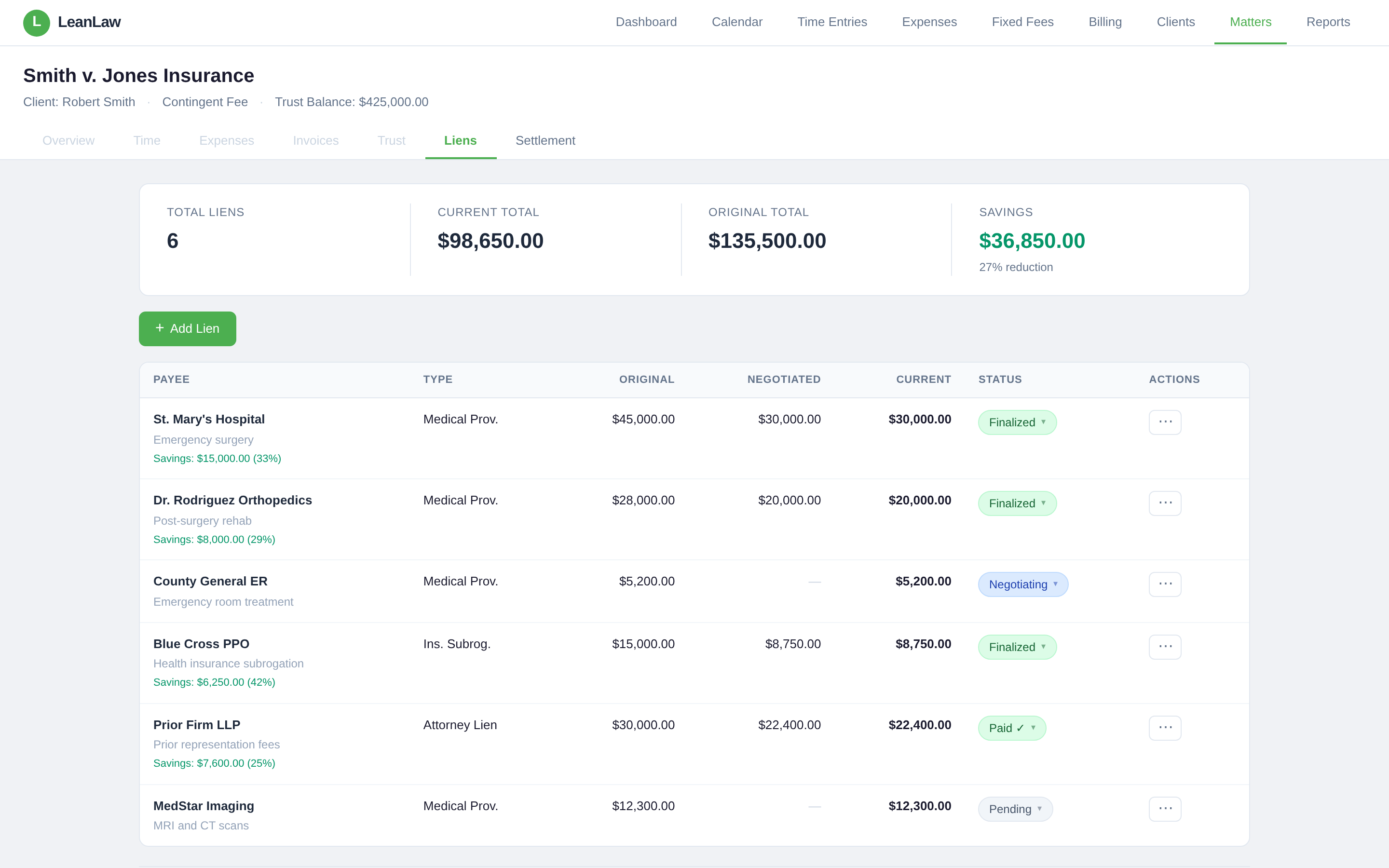
Medical liens, subrogation, letters of protection — all lumped in with case expenses, all tracked separately, all negotiated on the fly the week before settlement. No single source of truth.
"Settlement processing is the worst part of our workflow. Multiple systems, manual math, no guardrails. We've had invoices fail silently on seven-figure cases and we didn't know until reconciliation."— Composite from discovery interviews with PI and employment law firms
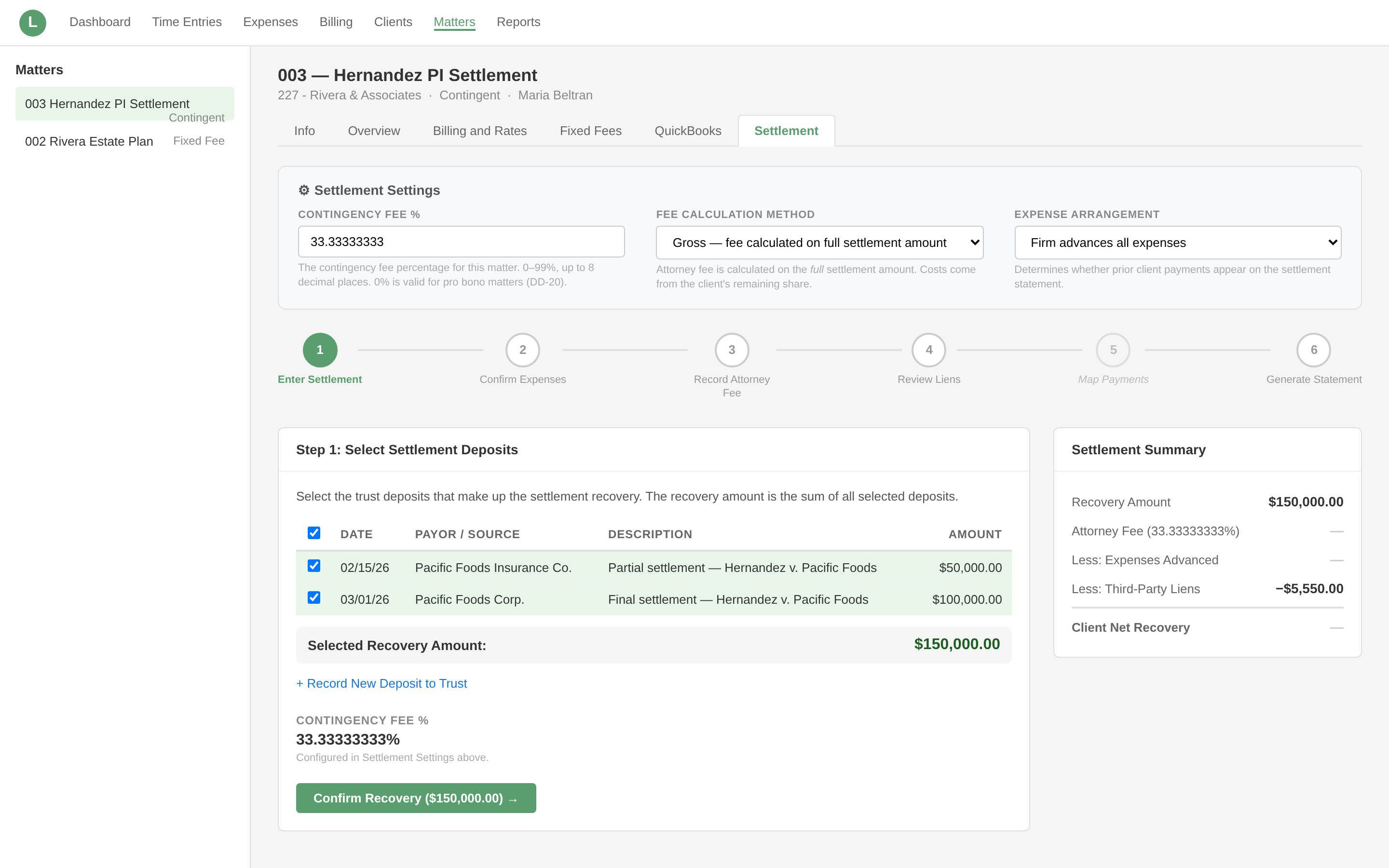
Each step freezes its data when you move forward. Reprint the statement a year later — it's identical. That's what ABA 1.5(c) expects.
No PI add-on. No bolt-on case management tool. No per-user upcharge for the three paralegals who actually touch settlements.
Three expense arrangements (firm advances, client pays-as-they-go, firm absorbs) × two fee methods (net of expenses or gross) equals six calculation paths LeanLaw handles automatically. Set it once at the matter level. Never do the arithmetic by hand again.
Medical providers, insurance subrogation, government liens, letters of protection. Every lien gets a structured record with original amount, negotiated amount, and finalized amount — tracked throughout the case, not compiled from four spreadsheets the week before disbursement.
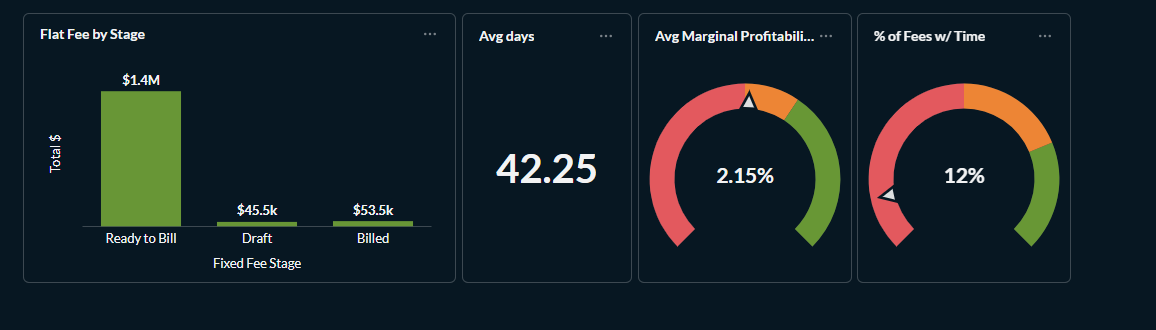
Data that used to require a weekend with Excel surfaces the moment you generate the settlement statement — fee recovery ratio, expense ratio, time-to-settlement, by attorney and case type. The upshot: growing your PI practice isn't about guessing which cases to take. It comes from reading the numbers.
Down from the 7–15 minutes firms reported in discovery interviews across spreadsheets, billing tool, and QBO.
At ten settlements a month, that's a controller's entire morning handed back — or two extra billable hours for a solo.
Net/gross × three expense arrangements, configured once per matter. No more "which method did we use on this one?"
Built after 16 customer discovery interviews and a deep competitive teardown of Clio PI, CasePeer, SmartAdvocate, MyCase, and TimeSolv.
You manage trust deposits, settlement statements, and QBO reconciliation at a 10–40 attorney plaintiff firm. Your billing tool handles hourly just fine — it just doesn't understand contingency. This is the fix.
You want to grow your PI practice but you're making case-acceptance calls without data. Fee recovery ratio by case type, attorney performance, time-to-settlement — now surfaced automatically from matter data you already have.
You do the cases and the billing. Every minute on manual settlement math is a minute not spent on clients. If you're on QBO and settling 5+ cases a month, the time you reclaim pays for the software and then some.
Early Q2 2026. Waitlist members get first access, onboarding support, and a trial period before any new pricing takes effect. Existing LeanLaw customers using contingency matters today are not retroactively moved to new pricing for existing functionality.
No. LeanLaw Contingency is the settlement, lien, trust, and profitability layer — the financial side. If you're on CASEpeer, Filevine, or a similar case management tool for intake and treatment tracking, LeanLaw slots in alongside it for the billing and settlement work. Phase 2 adds case management integrations.
For the full settlement workflow (including automatic invoice creation and trust check automation), yes — LeanLaw is the contingency platform built natively for QBO. That's the whole unlock.
Pricing is under active discussion, but the current direction is a matter-based tier model — not per-user. Waitlist members will be consulted before final decisions, and early access pricing will be honored.
The statement is structured to satisfy ABA Model Rule 1.5(c), which requires a written statement showing the remittance to the client and the method of its determination. The PDF is generated automatically from matter data and frozen at generation, so reprints return the exact same document.
Cross-matter lien dashboard, settlement forecasting, disbursement simulator, case management integrations (Clio, FileVine, MyCase), government lien compliance automation (MSPA), firm-wide PI analytics, and more. Phase 2 is targeted for late Q2 2026.
Join the Phase 1 waitlist and get early access, onboarding support, and a trial period when we ship in Q2 2026.
› Reserve Your Early Access